WordPress, Squarespace, Wix, or Shopify: Best Website Platform for a Local Business
Compare WordPress, Squarespace, Wix, Shopify, and WooCommerce for local business websites based on editing, SEO, ecommerce, flexibility, and long-term growth.

The best website platform is the one that fits your workflow and growth plan
WordPress, Squarespace, Wix, and Shopify can all be good choices for the right local business. The wrong choice is the platform that feels easy on day 1 but limits how you sell, edit, rank, or scale on day 300.
A lot of business owners ask which platform is best. The better question is: best for what? A simple brochure site, an SEO-heavy service site, and an online store are different jobs.
Use these criteria before comparing features
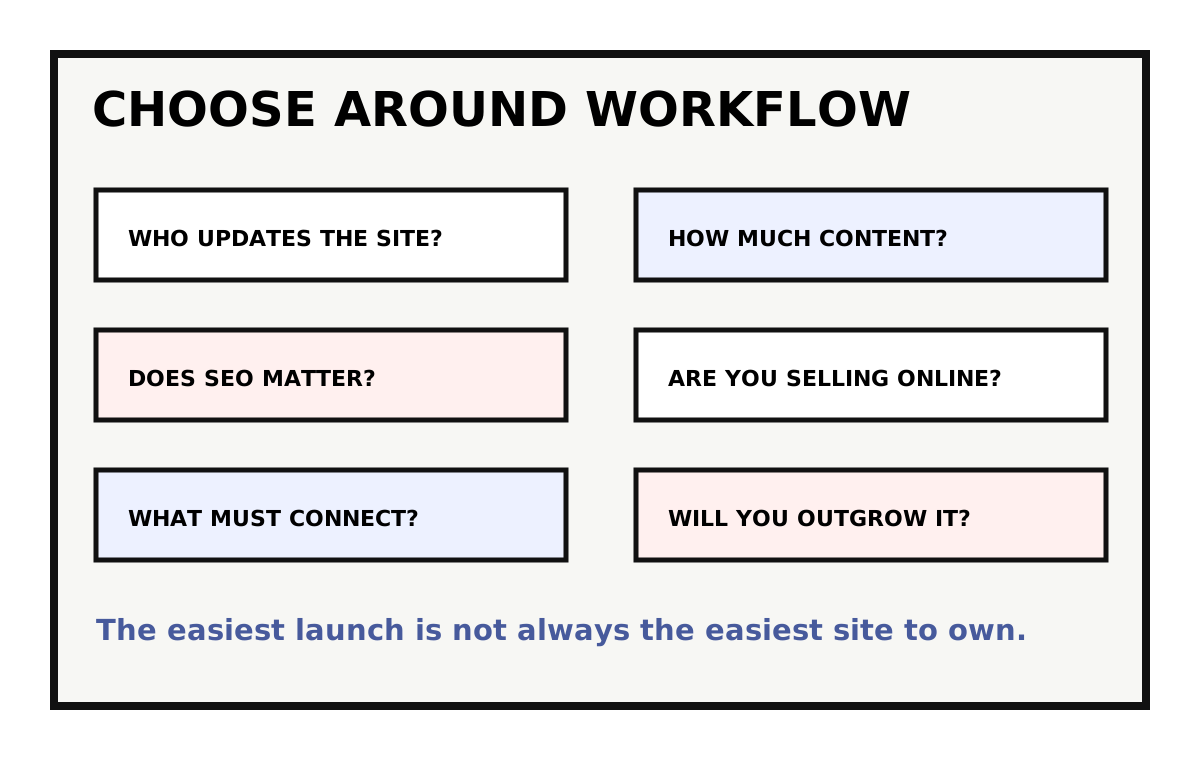
Features matter less than fit. A platform should match who updates the site, how often content changes, how important Google visibility is, whether products are sold online, and how much custom functionality the business needs. For editing workflow specifically, see what makes a website easy to update after launch.
This is where regret usually starts. The launch looked fine, but then the team cannot add service pages cleanly, connect a needed tool, improve SEO, or change layouts without breaking something.
- / Who will update the site?
- / How often will pages change?
- / How important is organic search?
- / Will you sell products, bookings, or subscriptions?
- / Do you need custom integrations?
- / How likely are you to outgrow the first version?
WordPress is strongest when flexibility and SEO matter
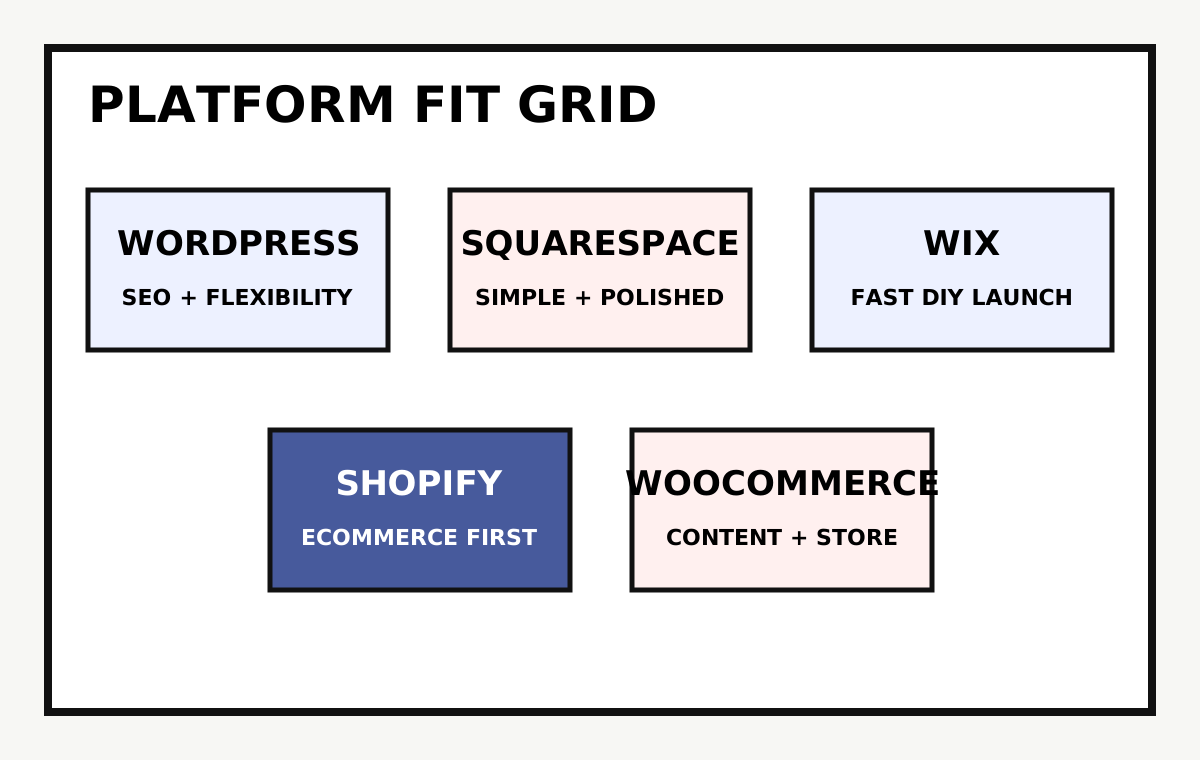
WordPress is often the best fit for service businesses, nonprofits, content-heavy sites, and companies that need custom page structures. It gives you strong control over SEO, content types, templates, and integrations.
The tradeoff is maintenance. WordPress needs to be built thoughtfully and kept updated. A messy WordPress setup can be harder to manage than a simpler platform, but a clean one can support a serious marketing site for years.
Squarespace works well for simple, polished starter sites
Squarespace is a strong choice when the site is mostly informational, the design needs to look professional quickly, and the business does not need deep customization.
It becomes less ideal when you need complex service structures, advanced SEO control, custom workflows, or unusual integrations. For a small portfolio, restaurant, or simple professional site, that may not matter.
Wix can be useful for fast DIY launches
Wix can work for budget-sensitive businesses that need to get online quickly and make their own updates. It lowers the barrier to launch.
The risk is long-term consistency. DIY freedom can lead to uneven layouts, slower pages, and a site that becomes harder to manage as more pages and features are added.
Shopify is built for ecommerce first
Shopify is usually the clearest choice when selling products is the main business model. Product management, checkout, payments, shipping, and inventory are central to the platform.
If your business also needs deep service content, local SEO pages, or a large editorial resource library, plan that structure carefully. Shopify can support content, but ecommerce is still the center of gravity.
WooCommerce is useful when content and commerce both matter
WooCommerce brings ecommerce into WordPress. It can be a good fit when the site needs strong content, service pages, SEO flexibility, and online sales in one system.
It also adds WordPress maintenance and ecommerce complexity. That is not a reason to avoid it. It is a reason to scope it honestly.
Migration cost is part of the platform decision
A platform choice is easier to make when the site is new. It gets harder once you have years of pages, forms, products, blog posts, rankings, and staff habits tied to the current system.
Before switching platforms, ask what has to move, what should be rebuilt, what URLs must be protected, and what your team will need to relearn. The best platform is not always the newest one. Sometimes it is the one that can be cleaned up without forcing a risky migration.
- / Inventory pages, posts, products, forms, users, and media.
- / Export current URLs before changing platforms.
- / Decide what content should be rewritten instead of moved as-is.
- / Plan training so staff can use the new system confidently.
Ownership and support should be clear before you launch
Ask who owns the domain, hosting, theme, plugins, licenses, analytics, and ecommerce accounts. Platform convenience does not help if the business cannot access the pieces that matter.
Also ask what support looks like after launch. WordPress maintenance, Shopify app updates, Squarespace template changes, and Wix editor support are different responsibilities. Put them in writing so the site does not become a mystery box 6 months later.
Choose for the business you are building, not only the site you need today
If the website is a simple credibility piece, keep it simple. If it is expected to support SEO, campaigns, lead generation, ecommerce, staff editing, and future growth, choose a platform that can handle that future without a rebuild too soon.
The right platform should make the next 2 years easier, not just the first 2 weeks.
// NEXT STEP
Need help choosing the right website platform?
Lovell Media Group can translate the platform debate into plain business tradeoffs: what your team can edit, what Google can understand, what integrations need to work, and what will still feel sane after launch.
Get platform guidance ->// RELATED READING
Web Design / 12 min read
How to Choose a Web Design Company in Frederick, MD Without Overbuying
Web Design / 12 min read
Website Redesign vs Website Refresh: Which Does Your Frederick Business Need?
Website Redesign / 14 min read