11 Signs Your Local Business Website Is Costing You Leads
If your website traffic is not turning into calls or quote requests, these 11 lead generation problems are usually where to look first.

Your website costs you leads when visitors cannot quickly trust, understand, and act
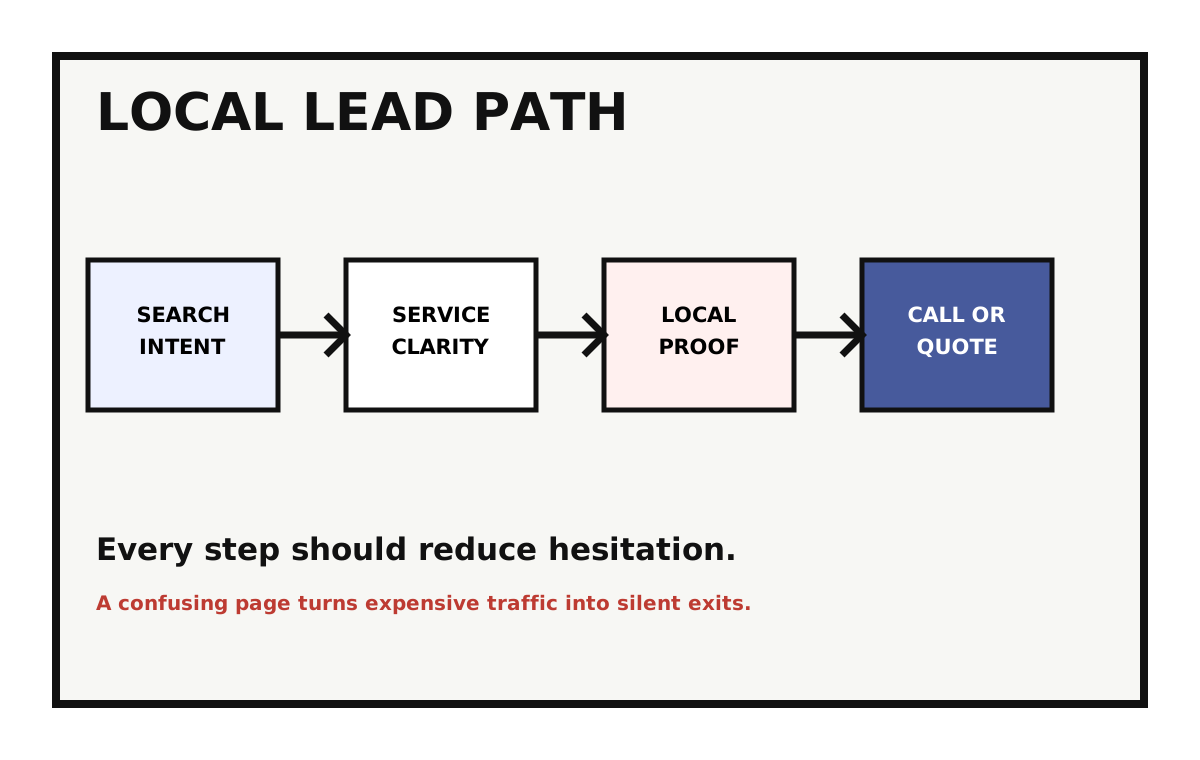
Most lead problems are not caused by one bad button. They happen because the visitor has to work too hard before they feel confident enough to call, book, request a quote, or fill out a form.
For a Frederick service business, that visitor might be checking you between meetings, from a jobsite, or while comparing 3 other companies on their phone. If your site makes them wait, hunt, or wonder, they move on.
1. The first screen does not say what you do
A visitor should know what you offer, who you help, and where you work within a few seconds. If the first screen says something vague like "solutions for your future," you are making them decode your business before they can buy from it.
Clear beats clever here. A roofing company, law firm, clinic, or consultant should lead with the service and the market. The design can have personality after the visitor understands the basics.
2. Mobile users have to fight the page
Mobile friction kills local leads because local buyers often search with immediate intent. They want to call, get directions, compare services, or check reviews quickly.
Tiny buttons, crowded menus, slow images, sticky popups, and long forms are not design details. They are lost inquiries.

3. The call to action is vague or hidden
Visitors should never wonder what to do next. If the next step is a quote request, say that. If it is a consultation, say that. If phone calls are best for urgent work, make the number easy to tap.
A good CTA also sets expectations. "Request a quote" feels different from "Contact us." "Schedule a consultation" feels different from "Learn more." The clearer action gets the better lead.
4. Your service pages are too thin
A service page that only says you offer the service is not doing enough. The buyer wants to know what problem you solve, what the process looks like, what affects price, where you work, and why you are credible.
Google wants that depth too. A useful service page can support rankings and sales at the same time because it answers the questions people ask before they contact you.
- / What problem does this service solve?
- / Who is it best for?
- / What happens after someone reaches out?
- / What proof supports your claim?
- / What related service should they consider?
5. The form asks too much too soon
A form should collect enough information to start the conversation, not everything your team might eventually want. Every extra required field is a small chance for the visitor to quit.
For many local businesses, name, contact info, service need, and a short message are enough. You can collect the rest once the lead is real.
6. Proof is missing near the decision point
Testimonials, reviews, project photos, certifications, case studies, and team details should appear where the visitor is deciding whether to act. Proof buried on a separate page helps less.
If someone is about to request a quote, show them why other customers trusted you. That is when hesitation is highest.
7. The site is slow enough to interrupt intent
Speed matters because attention is fragile. A slow page gives the visitor time to reconsider, bounce back to Google, or click a competitor.
Large images, heavy themes, too many plugins, and third-party scripts are common causes. Fixing performance often improves both user experience and paid traffic efficiency.
8. Traffic lands on generic pages
A visitor searching for a specific service should not land on a generic homepage and be forced to navigate from scratch. Specific searches deserve specific pages.
This matters for local SEO too. Strong service and location pages help Google understand what you do and help visitors confirm they are in the right place.
9. You are not tracking the lead actions that matter
If analytics only show pageviews, you do not know whether the website is producing business. Track form submissions, phone clicks, booking starts, quote requests, and important CTA clicks.
Without that data, redesign conversations become opinion contests. With it, you can see where the leak starts.
10. Your follow-up promise is unclear
A visitor is more likely to reach out when they know what happens after the click. Will someone call within 1 business day? Will they get a quote, a consultation, a site visit, or a discovery call?
This is a small copy detail with a big trust effect. A vague form says, "send a message into the void." A clear follow-up promise says, "we have a process and you will not be ignored."
- / Tell visitors when they can expect a response.
- / Explain whether the first step is a call, estimate, audit, or appointment.
- / Use confirmation pages and emails to reinforce the next step.
11. The site attracts the wrong leads
Not every lead problem is low volume. Sometimes the website is bringing in people who are not a fit: wrong budget, wrong service, wrong location, wrong urgency, or wrong expectations.
That usually means the site is too vague. Better service pages, clearer qualification language, stronger examples, and more specific calls to action can reduce bad-fit inquiries while making good-fit visitors more confident.
How to prioritize fixes when everything feels broken
Start where buyer intent is highest. Fix the homepage clarity, top service pages, mobile calls to action, quote forms, proof near decision points, and tracking before polishing lower-traffic pages.
Then compare traffic to conversions. A page with traffic and no leads needs conversion work. A page with no traffic may need SEO, internal links, or a clearer reason to exist. The goal is not to fix every page at once. The goal is to stop the biggest leak first.
Fix the path before you chase more traffic
More traffic will not fix a weak conversion path. It will just send more people into the same friction.
Start with clarity, mobile usability, page speed, proof, forms, and tracking. Once those pieces work, SEO and ads have somewhere better to send people. For service businesses, the deeper version of this is a lead-focused local service website.
// NEXT STEP
Want to know where your site is losing leads?
Lovell Media Group can trace the path from search result to call, quote request, form, and follow-up, then show you which fixes will make the biggest difference before you spend more on traffic.
Request a free audit ->// RELATED READING
Web Design / 13 min read
Web Design for Local Service Businesses: Turning Visitors Into Calls and Quotes
Web Design / 12 min read
Website Redesign vs Website Refresh: Which Does Your Frederick Business Need?
Website Redesign / 14 min read